What changes for you
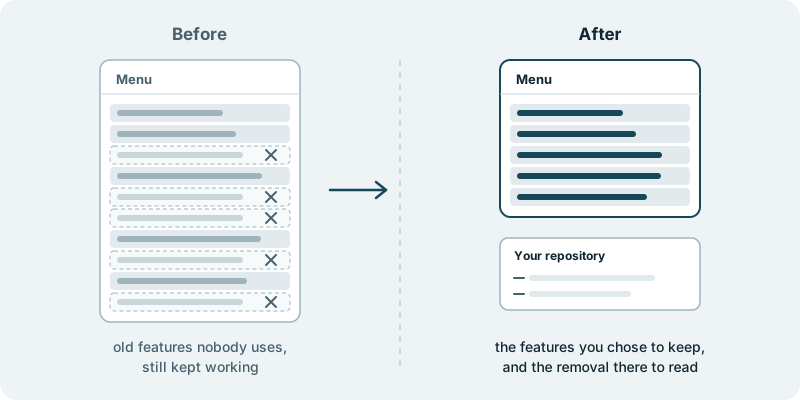
Features you no longer want leave your product cleanly, and the parts you keep stay in place. Most products that have been sold for a while carry things nobody asked for lately. A report built for one early customer who has since left. A setting added for a trial that ended. A second way to do something the main screen already does. Each of these was a good idea once. Today they sit in the menu and in the code, and somebody has to keep them working whenever anything around them changes.
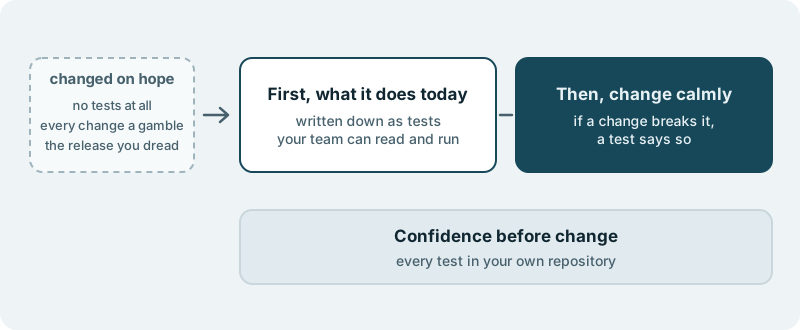
That weight is easy to miss and hard to put down. Your team tests the old export before every release because it might break. A new developer asks what a screen is for, and nobody remembers. A support question arrives about a feature only one person still understands. None of it moves the product forward, and all of it takes attention away from the work that does.
Taking a feature out sounds simple, but most teams put it off. It is rarely just one screen. There are settings, emails, permissions and tests attached to it, and nobody wants to be the one who removes the wrong thing. So the feature stays, and the next one joins it.
With Zefana, the features you name come out as a set of changes you can read. What leaves is visible line by line in your own code repository, together with what was adjusted so the rest of the product carries on without it. The work lands in your own code repository. The code we build for you is yours.
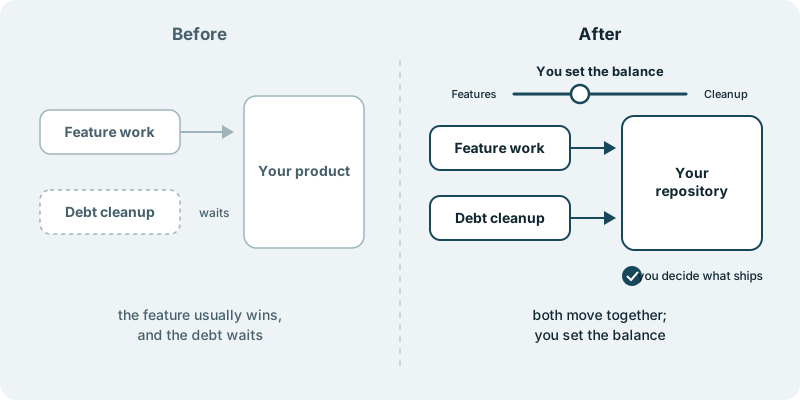
If retiring features is part of a wider wish to clean up the codebase, paying down technical debt while features keep shipping covers that broader trade-off. And your code, in your repository explains what it means that the work arrives where your team already works.
What you decide
You decide which features go. That choice rests on things only you hold: which customers still rely on something, what your contracts say, what your own figures show and where you want the product to head. Zefana does not tell you what nobody uses.
You decide the order. Some teams start with the feature that costs the most to keep working, others with the one that confuses new users most. Either is a fair place to begin.
You decide what your users are told, if anything, and when. A feature that one customer still opens now and then may deserve a note before it goes.
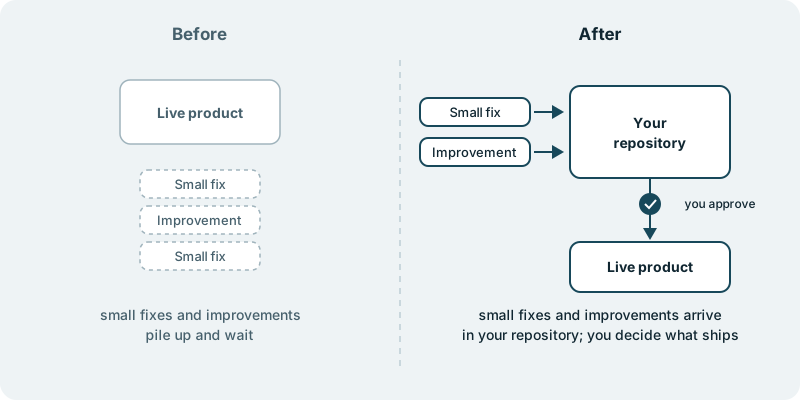
You decide what ships. Nothing reaches your users without your approval.
What you see along the way
You see the removal as changes in your repository, with a plain explanation of what each one takes out and why. Your team can read them, question them and ask for any piece to stay before approving.
When a choice is yours, for example whether a screen shared by a kept feature and a retired one should stay, it reaches you by email with the question and a link.
What it costs you in time
A first conversation about your product and the features you are thinking of retiring. After that, a little time from whoever knows the history of each one, usually a long-serving developer or someone in support.
What if you want to stop
The changes you approved stay in your repository when you stop, and nothing you did not approve has reached your users. Your code and your product stay yours to take anywhere.
Starting small
A sensible first piece is one feature you are already sure about, taken out on its own, so you can judge the result before you name the next. Every engagement is tailored to your product and your goals. It starts with a conversation, with no obligation.