What changes for you
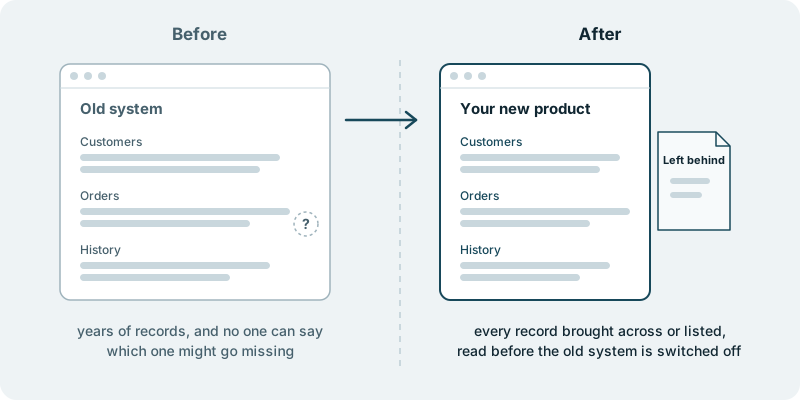
The question “did everything come across?” gets an answer you can read. Replacing an old system is rarely hard because of the new screens. It is hard because of what the old one holds: customers going back years, orders with their history, notes someone typed in long ago that still matter to a client. All of it has to leave before the old system can be switched off.
The fear is not the move itself. It is the record nobody notices is missing, until the day a customer calls and asks about it. By then the old system may be gone, and with it the easy way to find out what happened.
What changes is that the move ends with a list, not a hope. Your records are brought into the new product. Any record that is not brought across is named on a short list headed “left behind”, so the gap is visible instead of silent. You read that list while the old system is still running, and only then decide when to switch it off.
This page is about the data. Building the new product is its own piece of work. If that is where you are, the pages on rebuilding a legacy web application and replacing the back-office system your staff work around cover it.
What you decide
You decide what has to come across. Not everything in an old system deserves a place in the new one. Test accounts, records that were abandoned halfway and copies made by mistake tend to collect over the years. Some companies want every last entry moved; others take the chance to leave clutter behind on purpose. Either is a fair choice, and it is yours.
You decide what happens to each record on the left-behind list. A handful may be worth entering by hand. Some may belong in an archive your team can still look up. Others may confirm that a customer left years ago and nothing more is needed. The list does not make those decisions for you. It makes sure you get to make them.
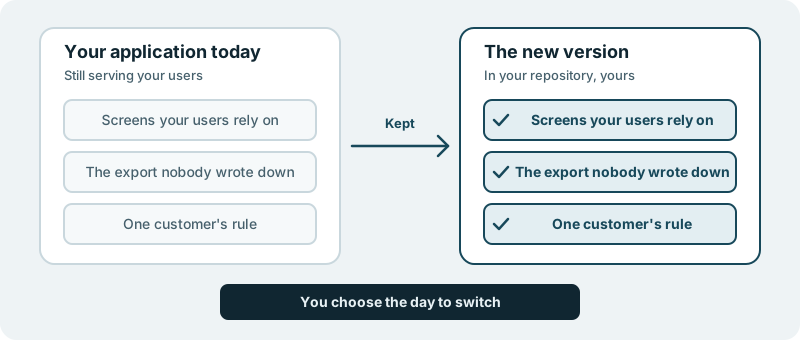
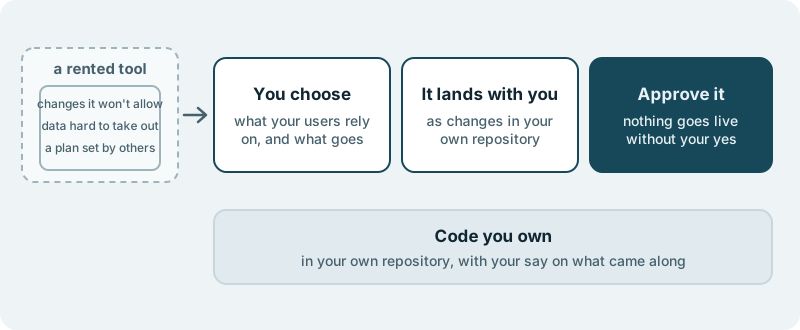
You decide when the old system is switched off. It stays in place until you are satisfied with what you see in the new product and on the list. The work lands in your own code repository, and you decide what ships. Nothing reaches your users without your approval.
What you see along the way
You see your records appear in the new product, where your team can open them and recognise the customers and orders they know. You see the left-behind list, written so that someone in your business can read it, not only an engineer. A choice that is yours reaches you with the question and a link.
The people who know your data best are usually not technical. They are the ones who answer when a client asks about an old order. Their eyes on the new product and on the list are worth more than any summary we could write.
What it costs you in time
A first conversation about what the old system holds, what the new product needs and who in your business knows the records best. After that, some time from that person to look at the records in the new product and read the list. Their judgement decides what a missing record means.
What if you want to stop
The old system is still there, because it is only switched off when you say so. Whatever you have approved by then remains in your repository. The code we build for you is yours, and your code and your product stay yours to take anywhere.
Starting small
We have not moved data out of an old system for a customer yet, and we will not suggest otherwise. A sensible first piece is one kind of record, such as your customers, so you can see what the new product and the left-behind list look like before the rest follows. Every engagement is tailored to your product and your goals. It starts with a conversation, with no obligation.