What changes for you
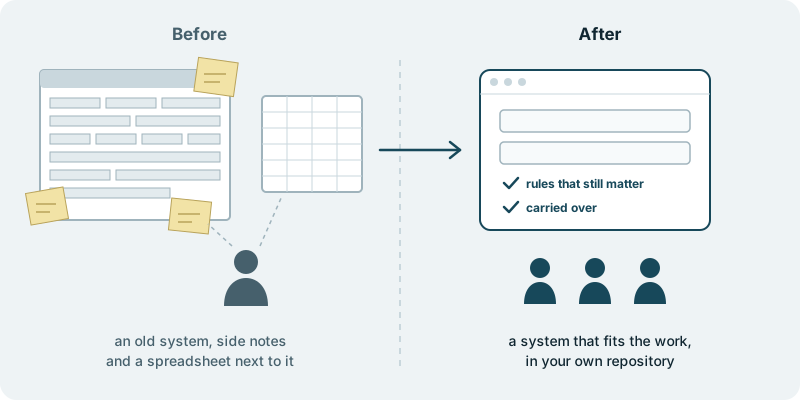
The system your staff use every day starts fitting the business you run today. Most companies have one: the internal admin system for orders, cases, contracts, bookings or stock, built years ago for a business that has since moved on. Every change to it is slow and costly, so people stopped asking for changes. Instead they keep a side spreadsheet, a page of steps to remember, a list of fields that must be filled in a particular way or the record goes wrong. New staff learn the workarounds from whoever sits next to them. The old system is still at the centre of the work, but more and more of the work happens around it.
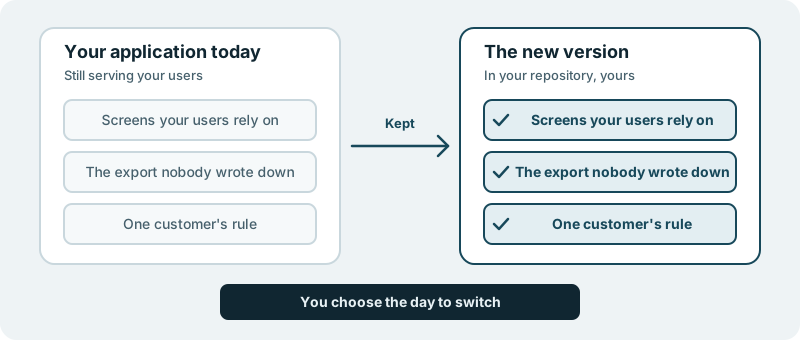
That system is replaced by one shaped around the work your staff actually do. The rules that still matter come with it: the checks your business relies on, the steps a customer contract or a regulator expects of you. What you leave behind is the daily effort of steering around a tool that stopped fitting a long time ago.
The new system lands in your own code repository. The code we build for you is yours. When the business changes again, the system is not a black box you have to plead with; your own team, or anyone you choose, can read it and change it.
Two neighbouring situations have their own pages. If the problem is the application your customers use rather than the one your staff use, see rebuilding a legacy web application. If the process lives in one shared spreadsheet rather than an old system, turning that spreadsheet into a tool is the smaller step.
What you decide
You decide which rules stay. An old admin system carries rules that still protect the business next to rules that only exist because of how things were done years ago. Keeping, changing or dropping each one is a business decision, and it stays with you.
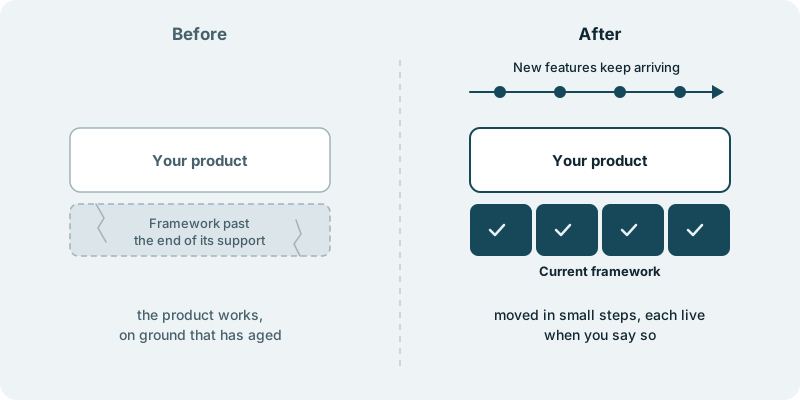
You decide which part of the work comes first. A back-office system rarely has to be replaced in a single move. You might start with the area that has the most side notes, the most errors or the most people waiting on one colleague, and leave the rest as it is for now.
You decide what happens to the records already in the old system. Some teams want their history in the new one. Others would rather keep the old system open as a read-only reference for a while. Neither choice is free of trade-offs, and we will tell you plainly what we think before you choose.
You decide when your staff switch over, and you decide what ships. Nothing reaches your users without your approval.
What you see along the way
You see the new system arrive in pieces your staff can try against the work they do today. Every change lands in your repository as a piece your own team can read, question and approve. The people who keep the side spreadsheets are the best judges of whether the new system covers what those spreadsheets were for, and they get to say so before anything replaces the old way.
When a choice is yours, it reaches you with the question and a link. Nothing about how your staff will work is settled without you.
What it costs you in time
A first conversation about the system, the people who use it and where they work around it today. After that, time from a few of the staff who know the work best, mostly to answer questions and to try the new system against what they do every day. The business keeps running on the old system until you decide otherwise.
What if you want to stop
Whatever you approved up to that point is already in your repository, and the old system has not been switched off. Your code and your product stay yours to take anywhere.
Starting small
We have no published back-office replacement to point to, and we will not pretend otherwise. A sensible first piece is one area of the work your staff handle every day, rebuilt so they can use it next to the old system and judge it before you go further. Every engagement is tailored to your product and your goals. It starts with a conversation, with no obligation.