What you get
Progress you can follow without asking for it. Many leaders know the feeling of learning how a project is going only when someone prepares a slide. Here the picture is already there, kept current, in words a product leader can read.
It comes in three rhythms.
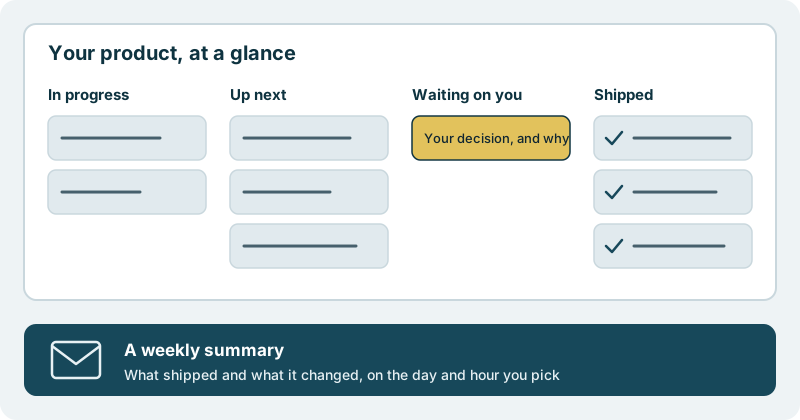
Whenever you look: one overview. It is sorted into four plain groups: what is in progress now, what is up next, what is waiting on you, and what has shipped. The work lands in your own code repository, so your developers can open the same changes from where they already work.
Once a week: a summary in your inbox. It says what shipped and what it changed for your product. You pick the day and the hour, and you can add the people who should read it.
When it matters: a message. If the next step is a choice only you can make, you get an email with the question and a link. If something is waiting, the overview shows why and when it is expected to clear. Shipped changes and alerts can also post to the channel your team already uses.
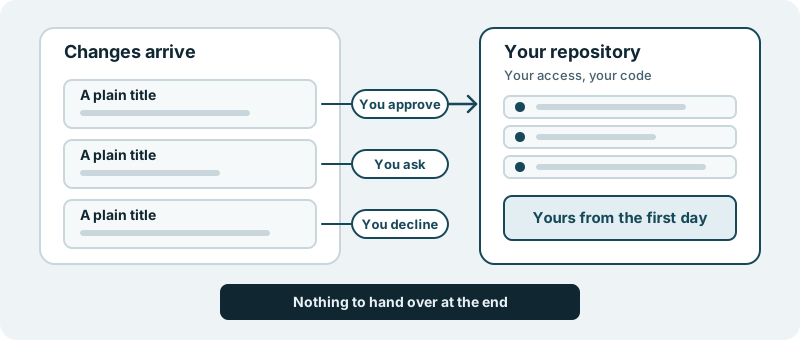
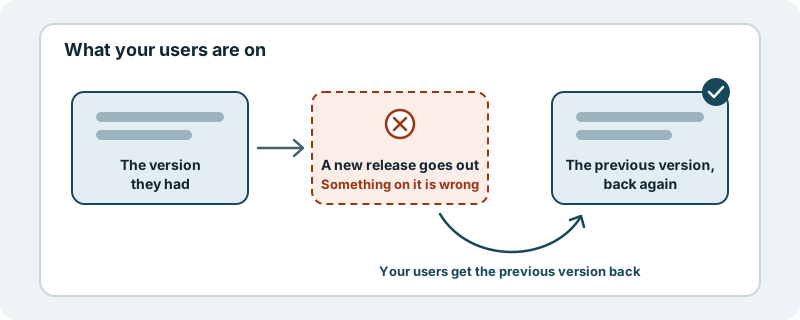
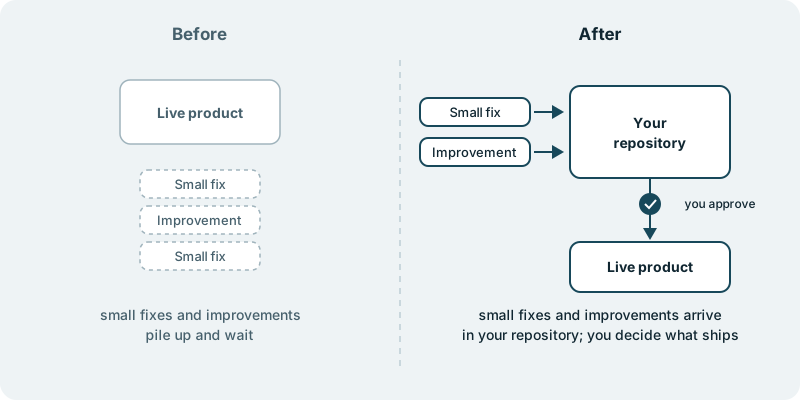
When you choose to approve each change, the rule stays simple. You decide what ships. Nothing reaches your users without your approval.
What it looks like in practice
Picture a Monday. Before your first meeting you open the overview. Two items are in progress, three are up next, one is waiting on you, and four went live last week. The one waiting on you is a question about whether a new sign-up step should be optional. You answer it in a sentence, and it moves back into progress.
On Friday afternoon, at the hour you picked, the weekly summary arrives. Your co-founder reads it on the train. Nobody had to write it, chase it or present it.
Between those two moments, you didn’t need to ask anyone where things stood. If the order of the next three items no longer suits you, you say so, and the overview shows the new order.
A technical leader gets a second view of the same week. The changes are in your repository with plain titles, so the overview and the code tell the same story.
How we do the work stays confidential, as your work with us does. What stays visible to you is every change before it ships.
Where this fits
This ability sits beside every use case. If a live product is being kept in good order, it is how you see each improvement go out. If your own team is working beside the changes that arrive, it is how everyone sees the same week.
To see it for your own product, start with one small piece of work and follow it from up next to shipped.