When a page fails in a real user’s browser, you usually hear about it late, if at all. With this switched on for a product, the errors your users meet are gathered on one page, grouped, shown with the versions they affect, and they get fixed.
What you get
You get to see what your users ran into, in one place.
Most failures in a browser make no noise. A button does nothing, a page stays blank, and the user simply leaves. Some write to support, in their own words, and those words travel through two or three people before they reach anyone who can act. By then nobody is sure which page it was, which version of the product, or whether it is one problem or three.
This ability gives you a page that answers those questions.
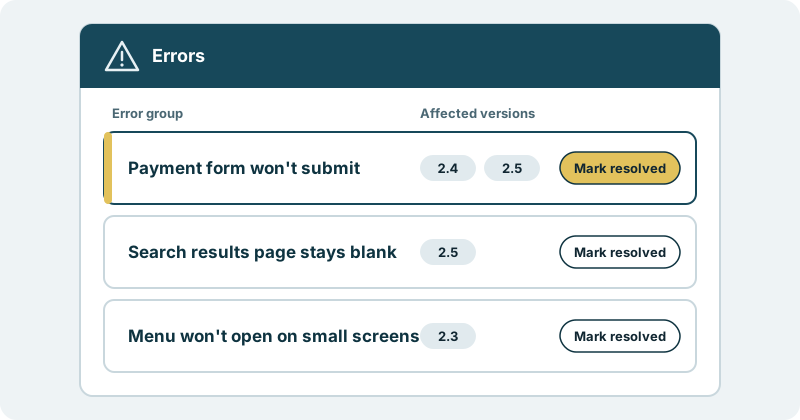
Errors, grouped. The same failure seen by many users shows up as one group, not as a long list of near-identical lines. You read the page and see what kinds of trouble your users are having.
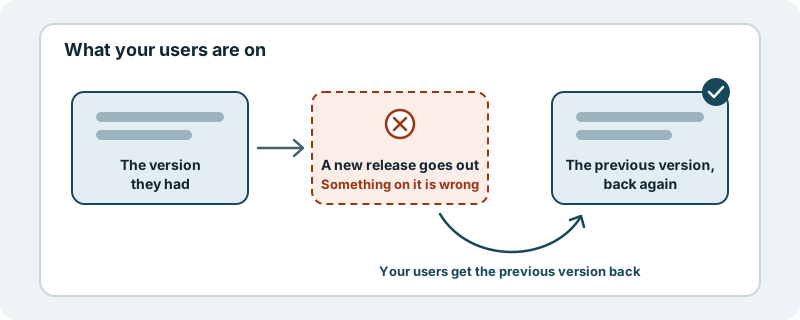
The versions each error affects. Every group shows the versions of your product it touches. You can tell whether something came with a recent release or has been there longer, and whether a newer version has left it behind.
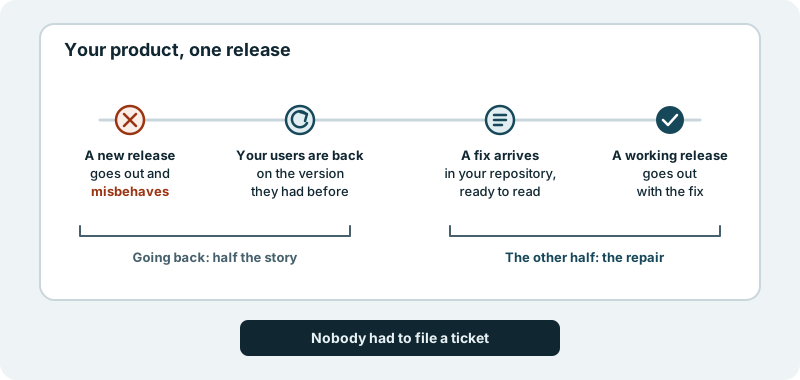
Errors that get fixed. The page is not a list for your team to work through on top of everything else. Errors that real users hit get fixed as part of the work on your product. You decide what ships, and nothing reaches your users without your approval, so a fix goes through the same yes from you as any other change.
A resolve action. Once an error has been dealt with, its group is marked resolved. Resolving comes after the fix, not before it, so the page shows what is still open and not what is already behind you.
It is opt-in, product by product. You choose which products have it.
What it looks like in practice
Picture opening the errors page for your product on an ordinary morning.
At the top is a group named for what users met: the payment form won’t submit. Next to it, the versions it affects. Below it, a search results page that stays blank, seen on the newest version only. Further down, a menu that won’t open on small screens, from an older version.
You don’t need anyone to retell it to understand the morning. You can see which problems are real, which release they belong to, and which ones are already marked resolved.
For a product leader, this is the user’s side of the product, in a form you can act on. For an engineering leader, it is one place to look instead of several, with versions attached. For a founder, it is a plain view of where your users stumble, and the knowledge that those stumbles get fixed.
You keep your eyes on where the product is going. We carry the errors your users hit through to fixes you approve.
Where to start
Pick the product whose users you hear from least, and talk with us about switching this on for it in a first conversation.