Holmvik, a game that keeps growing
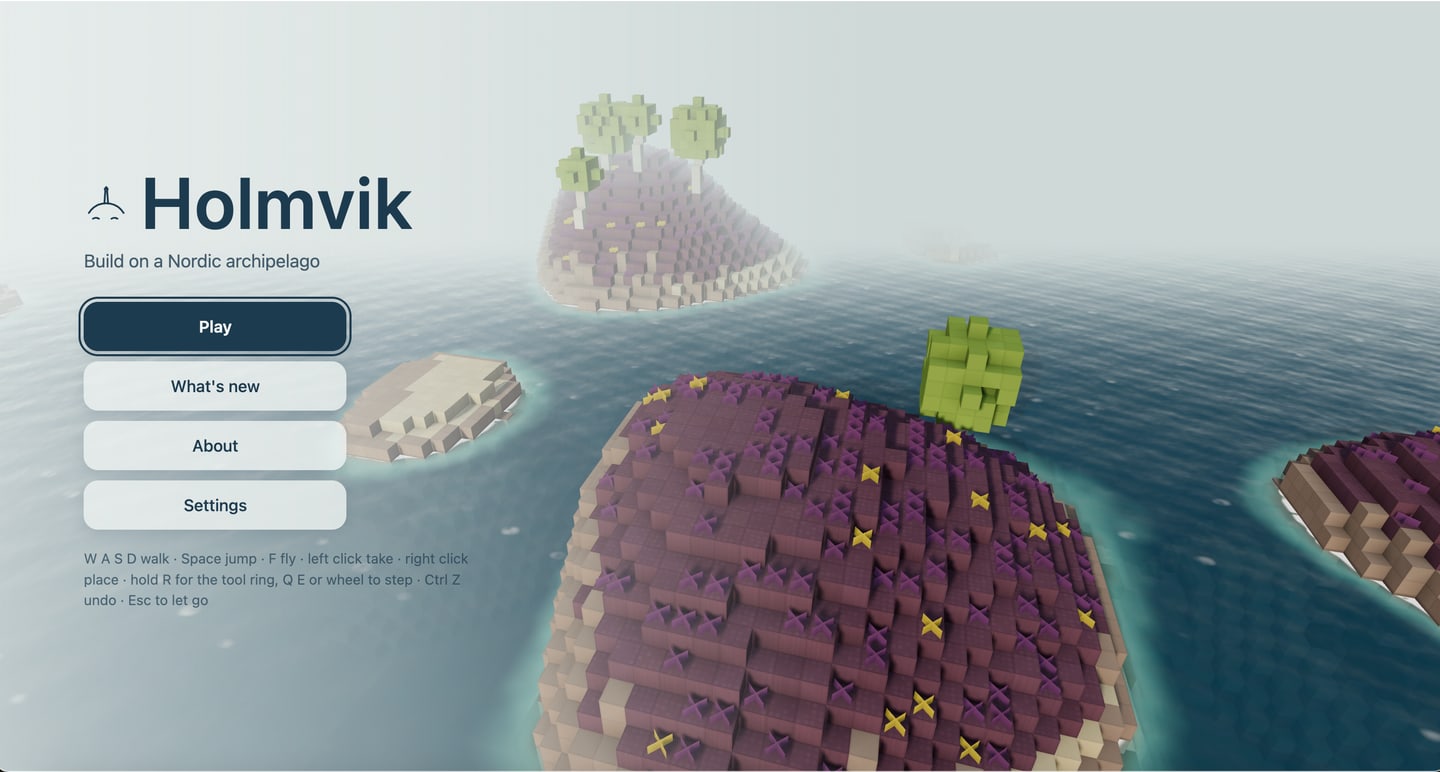
Holmvik is a calm building game on a Nordic archipelago, played in the browser straight from a link.
What you can do in it, and since when
- See the first islet rise from the sea, with a calm note if your browser cannot draw it
- Walk, jump and fly over the islet, and take and place granite, heather, sand and driftwood
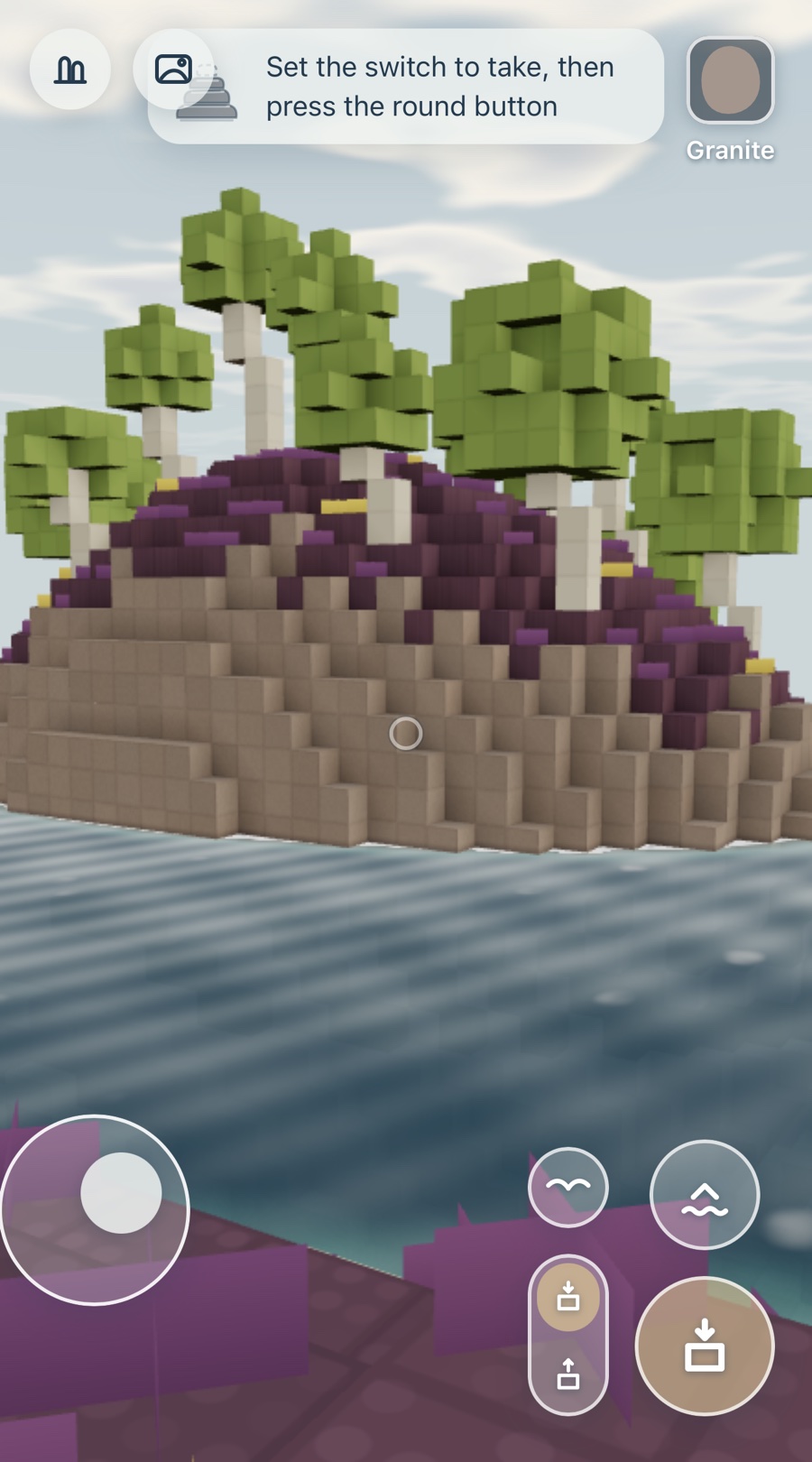
- See the islet in soft sunlight, with shadows, shaded corners and hand-cut stone, and a picture that eases its own detail to stay smooth
- Walk and fly with a softer step: movement eases in and out, the view sways gently as you walk and settles when you land
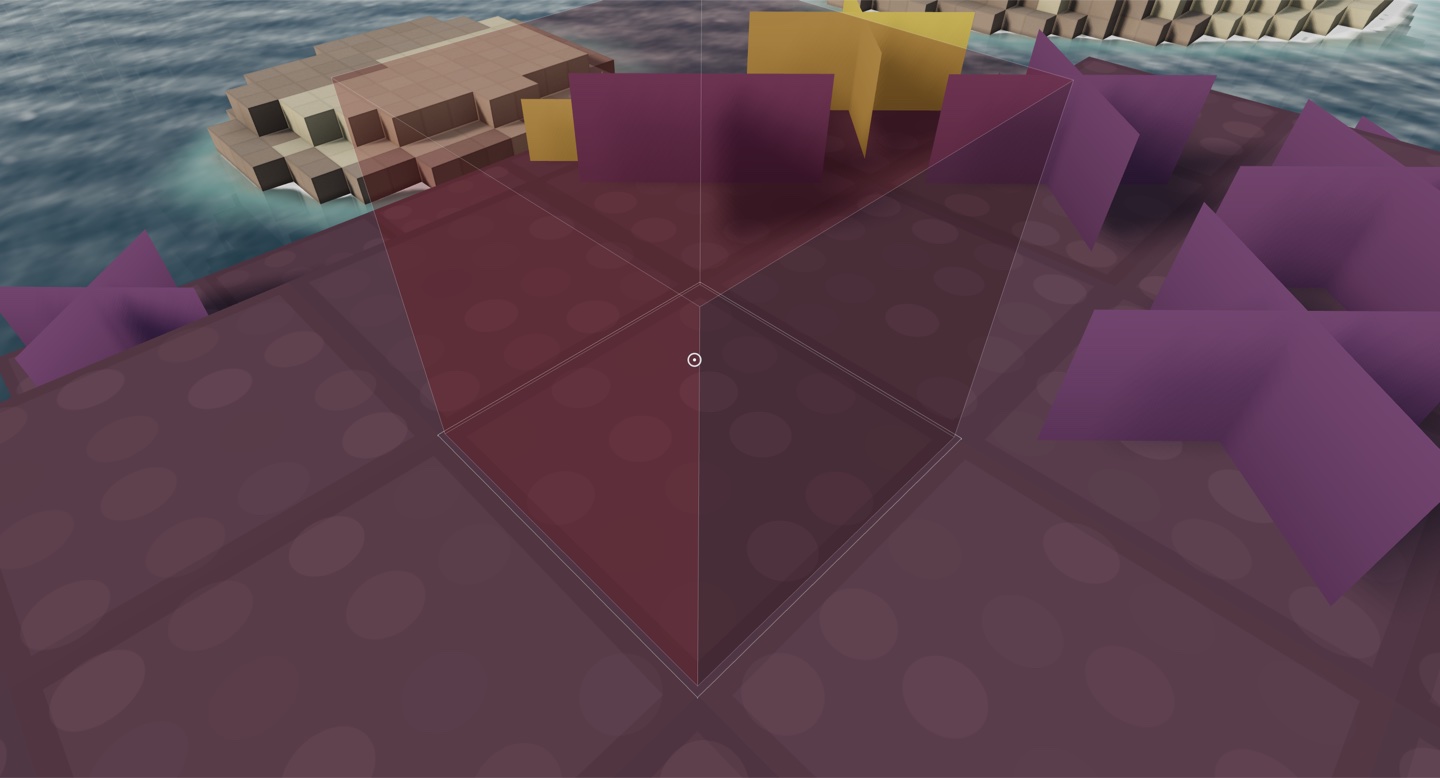
- See where your next block will go, and watch blocks settle into place with a puff of dust or a splash
- Watch the coast fade in softly at the edge of the view instead of popping into place
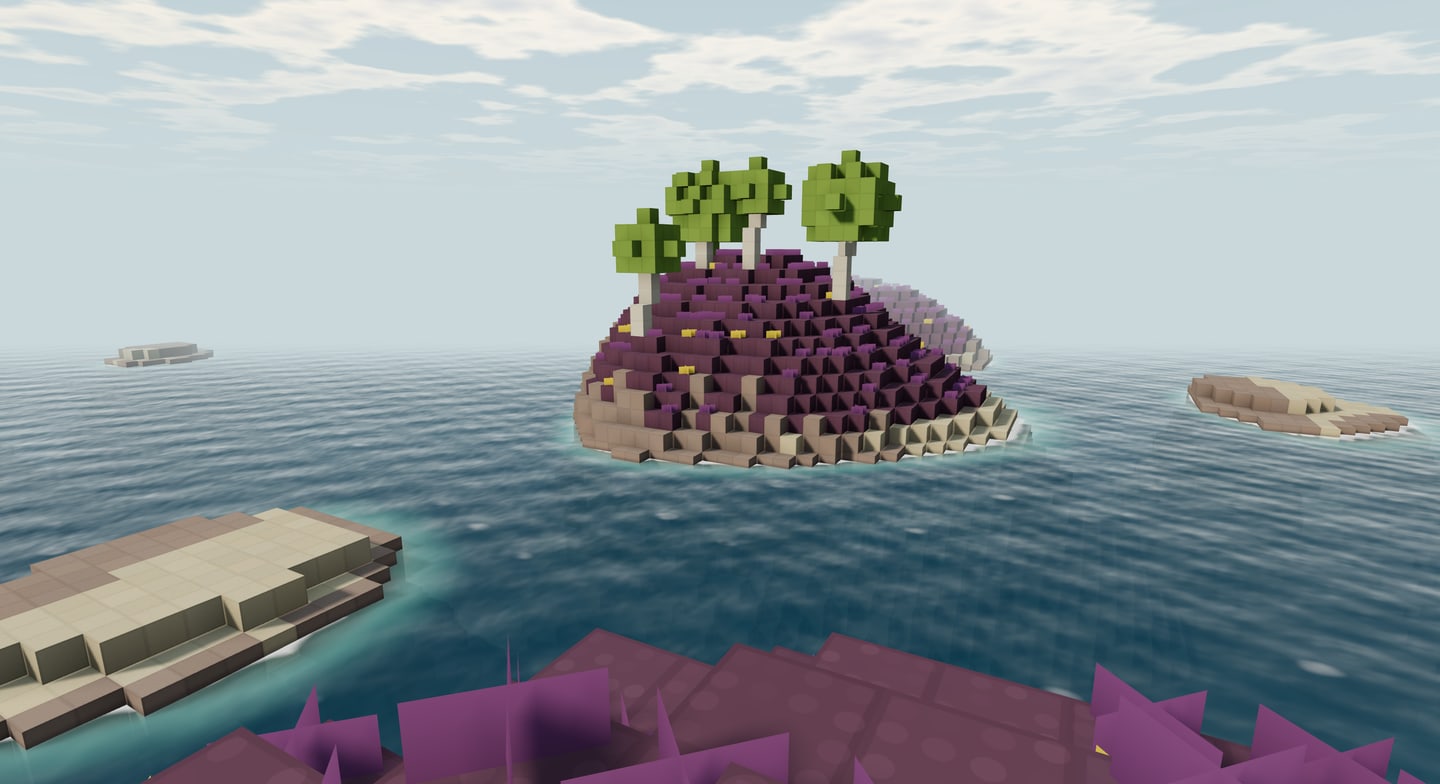
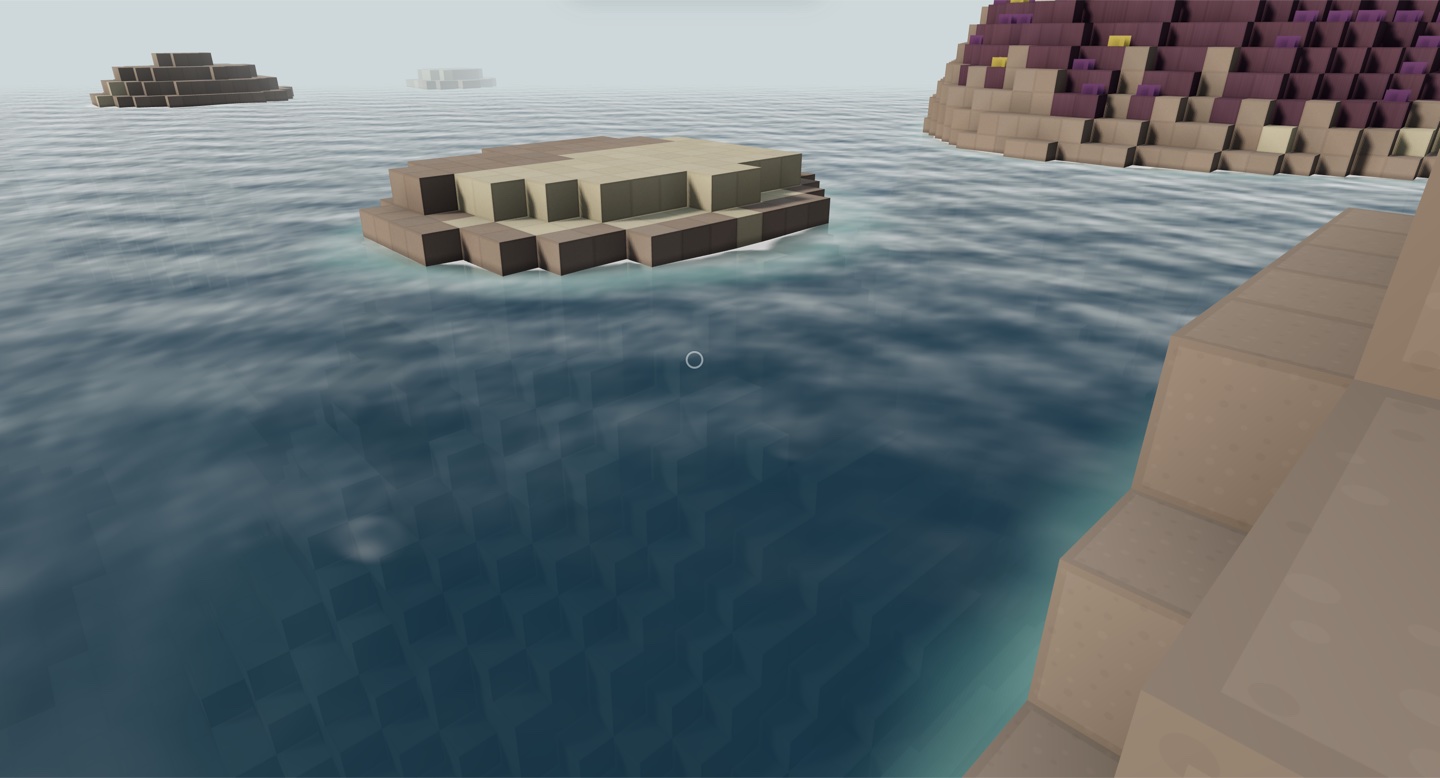
- Explore an archipelago: islets and skerries across deep sounds, rounded granite slabs with cliffs on their lee side, heather heath, sandy coves and kelp shallows; add ?seed= to the link to open another world
- Wander through small groves of wind-bent birch and past heather and flower tufts across the heath; build over a tuft, or take the ground beneath it
- Play on a phone or tablet: a thumb stick to walk, drag to look, one round button to build or take with a switch beside it, and buttons to jump and fly
- Build with sixteen materials from the coast: granite, rose granite, stone wall, shingle, slate, sand, turf, heather, reed thatch, driftwood, tarred plank, red and ochre boards, a birch woodpile, whitewash and roof tile, each with its own grain
- A wide sky with drifting clouds, and a living sea with waves, clear shallows, foam on the rocks and sun glints
- On your first visit, a small cairn shows you how to walk, look, take and place, and gains a stone each time you do
- Read what is new on the coast, newest first, and a few lines about Holmvik, from the title or the pause menu
- Arrive over the coast: the view drifts slowly above your islet, and Play glides you down to the shore
- Keep moving smoothly on a phone: when the coast is too much for it, the picture softens a little and the far islets draw in under the haze
- Pause over the coast with Esc or the pause button: carry on, read what is new, or rise to the shore view above your build
- Pick any material from the tool ring: hold R or tap the block at the top, and choose from sixteen stones grouped by family
- Build with halves, wedges and posts from the inner circle of the tool ring, and walk up halves and wedges like stairs
- Choose a finer or lighter picture and how fast the view turns, and see every control, from Settings on the title or the pause menu; your choices are remembered
- Take a picture of your build: photo mode clears the screen, lets you frame the view and saves the picture to your device
- Watch the day pass over the coast: the sun crosses the sky, the light warms toward evening, and the night is deep blue with stars and a low moon on the sea
- Watch the tide come and go: the sea climbs the granite shore and falls back, leaving the kelp shelves and a band of wet rock that slowly dries, and you wade where you walked
- Undo and redo your building: Ctrl Z and Ctrl Shift Z, or the curls in the tool ring
- Come back to your building: everything you build is kept in this browser and is there the next time you open the same link
- Raise a cairn of stone on a skerry and the coast remembers it: a logbook in the pause menu keeps every cairn you build and what is still to do
- Feel the weather turn as you play: clouds gather and clear, the sea roughens with whitecaps in a fresh breeze and lies glassy in a calm, gusts darken the water, and the heather sways the way the birches lean
- Watch eider ducks in the shallows: small rafts paddle and ride the waves, dive and come up again, keep to the water as the tide turns, and drift calmly away when you come close
- Find a rowing boat on the shore below where you land: it floats as the tide comes in, rocks gently on the waves and settles on the shelf as the water goes out
- Share your island: Share this island in the pause menu copies a link that opens your building for anyone, and a damaged link tells you what went wrong
- On a phone or tablet every hint speaks touch from the first screen, and a laptop with a touch screen follows the hand you use
- Heather and flowers now grow low and soft across the heath, and settle lower still around your feet, so the granite, sea and sky lead every view
- Step ashore on bare granite at the water’s edge, looking out across the sound to the next islet
- Hear the coast: the surf washes on the granite, fuller at high water and softer at low, under a wind that gusts over the skerries; set the volume or turn sound off in Settings or with M, and it is kept for your next visit
- Watch fog banks roll in over the skerries and lift again: the far islets fade into a white bank lying on the sea while the rock around you stays clear, and from a high islet you look out over the fog
- Hear your steps change from granite to planks, shingle, sand and heather, each block knock into place in its own material, splashes at the waterline, and gulls calling over the sound by day
- Stand out a passing shower: rain slants in the wind, rings spread on the water, the rock darkens where the rain falls and dries after, and it stays dry under your roof
- Row between the islets: step into the boat with B or the boat button, row with a steady stroke and glide, turn on one oar with A and D, run up onto another shore and step out
- Build a lighthouse: set the new lantern on a tower at least five blocks high, and at dusk its lamp lights and two soft beams sweep slowly over the sound
- Reach everything from the keyboard: Tab moves through every menu and sheet, the look-speed slider too, without slipping behind it; press C to change the shape you build with, and see it named beside your material
- Watch seals on the low skerries: as the tide falls they haul out on the bare rock and rest with head and tail raised, dry from dark to pale, and slip back into the sea when the water returns or you come too close
- What it is
- A calm building game in the browser
- Since
- 17 October 2026, from one paragraph of direction
- Size
- 40 things a player can do, on 26 October 2026
- Runs on
- A laptop, phone or tablet, in about 220 KB, with no account
- Made
- Every picture and sound made in code
- Built
- Built by Zefana, still growing
What it looks like
Where it is now
Zefana builds Holmvik and keeps it growing.
Lift your eyes and let us carry the rest.
Talk to us and see what carrying your product forward looks like.
Book a conversation
Prefer to write directly? contact@zefana.com